

To deploy portable VR headsets for healthcare education, you’ll start by evaluating your training needs and selecting compatible devices that balance budget with performance requirements. Implement robust security protocols including role-based access controls and HIPAA-compliant data encryption. Establish daily cleaning procedures using electronics-safe disinfectants and train staff through hands-on workshops. Monitor usage analytics to track the 12% higher accuracy rates VR training delivers. Strategic planning across these key areas guarantees successful program implementation and measurable learning outcomes.
Assessing Your Healthcare Training Needs and Goals
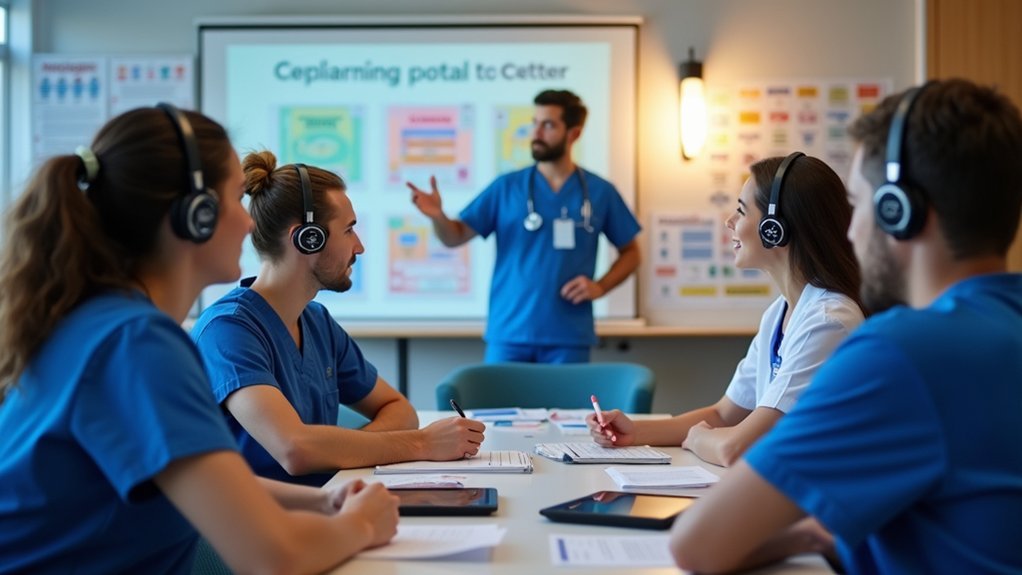
Before you invest in portable headsets for healthcare education, you’ll need to conduct a thorough assessment of your training requirements and educational objectives.
Start by identifying specific skills and competencies your healthcare professionals need to develop, as 85% of learners recognize areas for improvement through targeted training.
Targeted training helps 85% of learners identify skills needing improvement in healthcare education programs.
Evaluate your unique learning environments, whether clinical settings or classrooms, to determine appropriate headset types that enhance audio quality and support immersive experiences.
Consider your students’ diverse learning styles, as personalized learning through headsets greatly improves engagement and retention of complex medical information.
Establish clear training objectives aligned with your healthcare curriculum, ensuring headsets effectively support your training content for essential soft skills, communication techniques, and patient interaction scenarios.
Selecting the Right VR Headsets for Medical Education
You’ll need to evaluate hardware compatibility requirements to guarantee your chosen VR headsets work seamlessly with existing medical education software and institutional IT infrastructure.
Consider content-specific device features like high-resolution displays for detailed anatomical visualization and haptic feedback capabilities for surgical simulation training.
Balance your budget constraints against performance needs, as investing in higher-end headsets often delivers better educational outcomes through enhanced visual fidelity and extended battery life for longer training sessions.
Hardware Compatibility Requirements
When deploying VR technology in healthcare education, hardware compatibility forms the foundation of a successful implementation. You’ll need to guarantee your VR devices work seamlessly with existing educational software and meet the demanding requirements of medical training applications.
Consider these essential compatibility requirements:
- Software Platform Integration – Verify your chosen VR devices support required medical education platforms and applications before purchase.
- Processing Power and Resolution – Select headsets with sufficient specs to handle detailed anatomical models and complex surgical simulations.
- Wireless Connectivity Standards – Choose devices that support your institution’s network protocols for unrestricted movement during training.
- Accessory Compatibility – Ensure headsets integrate with haptic feedback devices and other specialized medical training tools for enhanced learning experiences.
Content-Specific Device Features
Since medical education demands precise visual detail and realistic interaction, selecting VR headsets with content-specific features becomes critical for effective training outcomes. You’ll need to evaluate devices based on their ability to deliver immersive medical simulations that prepare students for real-world scenarios.
When choosing wireless headsets, prioritize models that support haptic feedback integration, enabling tactile sensations during surgical procedures or patient examinations. These features enhance learning retention and skill development.
| Feature | Requirement | Benefit |
|---|---|---|
| Display Resolution | 4K+ per eye | Sharp anatomical detail |
| Battery Life | 4+ hours | Extended training sessions |
| Processing Power | Snapdragon XR2+ | Smooth complex simulations |
Ensure your selected headsets offer quick setup capabilities and seamlessly integrate with existing medical education software platforms for maximum training efficiency.
Budget Vs Performance
Although high-end VR headsets deliver exceptional graphics and processing power that medical education demands, they often strain institutional budgets and force difficult decisions about training quality versus financial constraints.
You’ll need to evaluate scalable price-to-performance ratios that accommodate multiple users without sacrificing training effectiveness.
Consider these key factors when balancing budget against performance:
- Entry-level options like the Oculus Quest 2 provide wireless convenience and adequate performance for basic training scenarios at budget-friendly prices.
- Premium models such as the HTC Vive Pro offer high-resolution visuals essential for intricate medical procedures but require substantial investment.
- Total cost of ownership includes maintenance and content development expenses that cheaper models may increase long-term.
- Portable flexibility enables training across diverse environments while maintaining performance standards for medical education requirements.
Planning Your Device Management Strategy
Before you purchase a single headset, you’ll need to establish a thorough device management strategy that addresses your healthcare program’s unique requirements. Device management systems are essential for streamlining content installation and updates across multiple portable headsets efficiently.
Your strategy should include automated deployment protocols that minimize manual setup time while guaranteeing consistency across all devices. You’ll want to establish clear protocols for tracking device usage, monitoring battery levels, and scheduling maintenance intervals.
| Management Component | Implementation Strategy |
|---|---|
| Content Distribution | Automated push updates via centralized platform |
| Device Tracking | Asset management system with unique identifiers |
| Maintenance Scheduling | Regular functionality checks and cleaning protocols |
This systematic approach guarantees your headsets remain functional, hygienic, and loaded with current educational materials throughout their deployment lifecycle.
Training Staff on VR Technology and Integration
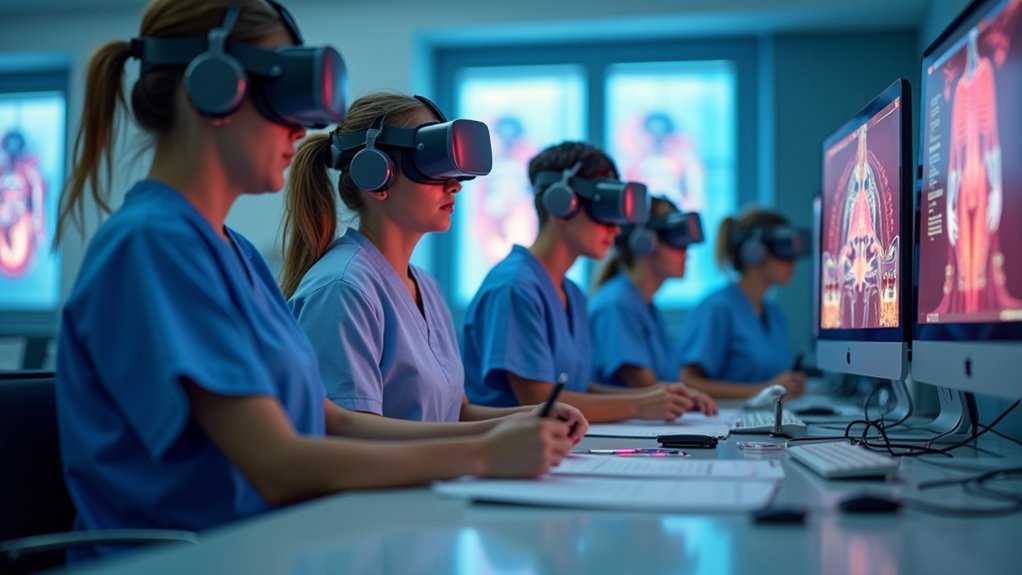
While technology deployment requires careful planning, your staff’s ability to effectively use VR headsets will ultimately determine your program’s success.
Training healthcare professionals on VR technology integration requires thorough preparation that addresses both technical skills and educational methodologies.
- Conduct hands-on workshops where staff practice using VR headsets in simulated healthcare scenarios, focusing on audio quality settings and navigation controls to eliminate the need for constant technical support.
- Integrate skills modules into existing educational frameworks, as VR training creates learning experiences that are particularly beneficial for developing both technical and soft skills.
- Implement management systems that track performance analytics, helping you make sure each healthcare professional progresses effectively through their VR headset training curriculum.
- Schedule regular refresher courses that combine traditional methods with VR technology, giving your team the best of both worlds for continuous development.
Establishing Content Development and Curriculum Alignment
Your VR healthcare program’s effectiveness hinges on developing content that directly aligns with established learning objectives and curriculum standards.
You’ll need to collaborate with experienced VR app developers who understand healthcare education requirements and can create immersive simulations that mirror real-world scenarios.
Incorporate diverse learning modules covering interpersonal communication, patient-centered care, and clinical procedures to address the extensive skill sets healthcare professionals require.
You should integrate data analytics capabilities to monitor learner progress and collect performance metrics that inform continuous curriculum improvements.
Ensure your content meets established healthcare standards and regulatory requirements for accreditation compliance.
Setting Up Device Security and User Access Controls
You’ll need to implement robust authentication protocols to guarantee only authorized users can access your portable VR headsets in healthcare education settings.
Establishing role-based access management becomes essential for controlling who can install apps, modify configurations, and access sensitive training content.
You must also deploy thorough data encryption standards to protect patient information and maintain compliance with healthcare regulations like HIPAA.
Authentication Protocol Implementation
Because portable VR headsets in healthcare education handle sensitive patient data and proprietary training content, you must establish rigorous authentication protocols before deploying these devices.
Your implementation strategy should prioritize both security and user accessibility while maintaining compliance with healthcare regulations.
- Deploy In-VR Single Sign-On (SSO) to authenticate users directly within the virtual environment, ensuring only authorized personnel access headsets while streamlining the login process for students and staff.
- Configure role-based access controls that define specific permissions for different user types, limiting healthcare students and educators to appropriate training content based on their educational level and responsibilities.
- Enable remote factory reset capabilities to immediately wipe sensitive data from lost or stolen devices, preventing unauthorized access to patient information or proprietary educational materials.
- Activate device location tracking to monitor headset whereabouts and enhance accountability across your educational facility.
Role-Based Access Management
After establishing authentication protocols, implementing role-based access management becomes your next critical step in securing VR headsets for healthcare education.
You’ll assign specific permissions to users based on their roles, ensuring healthcare personnel access only appropriate training materials and patient data. This approach enhances security by limiting access to authorized individuals, reducing unauthorized use and data breach risks.
Integrate In-VR Single Sign-On technology within your RBAC system to streamline login processes while maintaining security. Only authorized users can access portable headsets and training content.
Schedule regular audits of user access levels and permissions to keep role definitions current with organizational changes. RBAC implementation helps you maintain HIPAA compliance by strictly controlling and monitoring user access to patient information and training resources.
Data Encryption Standards
Building upon your role-based access framework, data encryption standards form the technical foundation that protects sensitive information flowing through your portable VR headsets.
You’ll need robust protocols to safeguard patient data while maintaining seamless educational experiences.
Implement these essential encryption measures:
- Deploy AES encryption for all data transmission between headsets and healthcare databases, ensuring unauthorized parties can’t intercept sensitive patient information during VR training sessions.
- Update encryption protocols regularly to maintain HIPAA compliance and adapt to evolving cybersecurity threats targeting healthcare organizations.
- Integrate in-VR Single Sign-On solutions that authenticate users securely while streamlining access to training modules and related patient data.
- Schedule routine security audits to identify vulnerabilities in your encryption systems and strengthen data protection measures across all portable devices.
Creating Deployment Schedules and Learning Sessions
When implementing portable headsets in healthcare education, you’ll need to craft deployment schedules that synchronize with your institution’s academic calendar and clinical rotations. This strategic timing maximizes headset utilization and guarantees students can access immersive training when they need it most.
Design learning sessions that incorporate these portable devices for realistic virtual simulations, enabling students to practice complex procedures in safe environments.
You’ll want to establish regular check-ins with learners to evaluate training effectiveness and adjust your deployment strategy accordingly.
Leverage usage analytics to identify specific skill gaps and customize sessions to address these deficiencies.
Finally, collaborate closely with faculty to seamlessly integrate headset training into existing curricula, creating a balanced approach that combines traditional educational methods with innovative technology for thorough healthcare preparation.
Managing Content Distribution and Updates
Once your deployment schedules are operational, you’ll face the ongoing challenge of distributing educational content and keeping it current across all portable headsets.
XR MDM solutions streamline this process by enabling remote monitoring and efficient management of app installations and updates across your entire fleet.
Here’s how to optimize your content distribution strategy:
- Implement differential updating through XR MDM platforms to minimize bandwidth usage by sending only content changes rather than complete files.
- Schedule regular module updates using analytics data to identify which educational content generates the highest learner engagement.
- Verify compatibility between educational materials and your specific headset models before distribution to prevent technical disruptions.
- Establish a centralized content repository that facilitates easy access, management, and consistent training experiences across all devices.
Implementing Hygiene and Maintenance Protocols
You’ll need to establish thorough hygiene and maintenance protocols to guarantee your portable headsets remain safe and functional throughout their deployment in healthcare education settings.
Your approach should encompass daily cleaning procedures that eliminate contamination risks between users, strategic equipment storage solutions that protect devices when not in use, and preventive maintenance schedules that identify potential issues before they become costly problems.
These three interconnected components form the foundation of a robust protocol system that’ll extend equipment lifespan while safeguarding student health.
Daily Cleaning Procedures
Consistency forms the backbone of effective headset hygiene in healthcare education environments.
You’ll need to establish a systematic approach that protects both equipment and users from contamination, especially during flu seasons when pathogens spread rapidly.
Your daily cleaning procedures should include:
- Morning preparation – Inspect each headset for visible damage or wear before distribution, checking cables, cushions, and adjustable components.
- Between-user sanitization – Apply electronics-safe disinfectant wipes to all contact surfaces, allowing proper drying time before the next user.
- End-of-day deep clean – Use approved disinfectant sprays on headsets, focusing on ear cushions and headbands where bacteria accumulate.
- Documentation tracking – Record cleaning completion and any maintenance issues discovered during the process.
This routine guarantees your headsets remain hygienic and functional throughout their educational deployment.
Equipment Storage Solutions
Three critical factors determine whether your headset storage solution will succeed: accessibility, protection, and hygiene maintenance. You’ll need to designate a specific storage area that prevents damage while guaranteeing easy access for daily educational activities. This dedicated space enhances organization and extends equipment longevity.
Implement modular storage solutions with interchangeable components to maximize cleanliness. You can allocate individual ear cushions per student, which greatly improves comfort and hygiene standards. These systems allow you to replace specific components without replacing entire units.
You should encourage personal headphone use whenever possible, as this reduces shared equipment needs and promotes better hygiene practices.
Regular functionality assessments are essential—replace damaged cables promptly and maintain ear cushions to guarantee ideal working condition for healthcare education applications.
Preventive Maintenance Schedules
Establishing extensive preventive maintenance schedules guarantees your portable headsets remain functional and hygienic throughout their educational lifecycle.
You’ll need systematic approaches that address both cleanliness and equipment integrity to maximize your investment and protect student health.
Your maintenance framework should include:
- Daily cleaning protocols – Disinfect headsets after each use with approved sanitizing wipes, paying special attention to ear cushions and headbands that contact skin directly.
- Weekly inspection checklists – Examine cables for fraying, test audio quality, and assess physical wear on all components to catch issues early.
- Bi-weekly performance assessments – Conduct thorough functionality tests and address technical problems before they impact learning sessions.
- Student education programs – Train users on proper handling, personal hygiene practices, and basic care procedures to prevent contamination and damage.
Monitoring Usage Analytics and Learning Outcomes
While traditional healthcare training methods rely on subjective assessments and limited feedback mechanisms, portable headsets equipped with advanced analytics capabilities transform how you’ll measure and enhance learning outcomes. You’ll track learner engagement and progress through modular training programs, with data revealing that VR learners feel 275% more confident and are 3.75 times more emotionally connected than traditional learners.
| Metric Category | Key Insights | Implementation Benefits |
|---|---|---|
| Confidence Levels | 275% increase over traditional methods | Enhanced clinical readiness |
| Emotional Connection | 3.75x stronger engagement | Improved knowledge retention |
| Skill Enhancement | 85% identify improvement areas | Targeted intervention opportunities |
| Module Effectiveness | 25-minute TeamSTEPPS® tracking | Optimized training duration |
XR MDM solutions enable remote monitoring and content distribution, allowing you to analyze usage patterns and optimize deployments while tailoring approaches to learner needs.
Scaling Your VR Training Program Across Departments
Armed with extensive analytics demonstrating VR’s impact on learning outcomes, you’re ready to expand your program beyond initial pilot departments.
Scaling VR training across healthcare departments requires strategic planning and proper infrastructure to maximize the 12% higher accuracy and 17% faster completion times that VR delivers compared to traditional methods.
Strategic VR scaling in healthcare demands robust infrastructure to harness proven 12% accuracy gains and 17% faster training completion rates.
Here’s your scaling roadmap:
- Implement XR MDM solutions for remote headset management and content installation, saving hundreds of setup hours across departments.
- Select appropriate headsets based on each department’s content needs—lightweight options for 360-degree video, high-end versions for detailed simulations.
- Partner with experienced VR developers to create department-specific training content that increases buy-in and usage rates.
- Continuously evaluate device management solutions during expansion to maintain efficiency and address growing complexity.
Frequently Asked Questions
Is There a VR Headset for Educational Purposes?
Yes, you’ll find several VR headsets designed for education, including the Oculus Quest series and HTC Vive. These devices offer immersive learning experiences that’ll greatly boost your engagement and retention.
How Is Virtual Reality Used in Healthcare Training?
You’ll practice medical procedures and patient interactions through immersive simulations that replicate real scenarios. VR training reduces errors by 40% and boosts your confidence by 275%, creating safer learning environments.
What Do You Need to Connect a VR Headset?
You’ll need a compatible computer with sufficient processing power, dedicated graphics card, and VR software installed. Connect using USB or HDMI cables, guarantee updated software, and have adequate space for safe movement during sessions.
How to Set up a Virtual Reality Headset?
You’ll charge your headset completely, then follow manufacturer instructions to connect Wi-Fi and download apps. Adjust straps and lenses for comfort, test all controls and navigation features before use.




Leave a Reply