

You’ll need sophisticated networking architecture featuring drop-in drop-out systems that enable seamless player entry and exit without disrupting ongoing gameplay. Implement real-time matchmaking algorithms that consider skill levels and latency, while maintaining sub-20-millisecond response times to prevent motion sickness. Use frameworks like Unity Netcode or Photon Fusion for state synchronization and spatial anchoring systems for precise player positioning. Dynamic room scaling adjusts capacity in real-time, and robust session management preserves player progress across connections. These technical foundations will reveal the secrets to creating truly immersive multiplayer experiences.
Understanding Drop-In Drop-Out Architecture for VR Environments

How do you create VR experiences where players can jump in and out without breaking the immersion for everyone else?
Drop-in drop-out architecture makes this seamless shift possible by allowing players to enter or exit without interrupting ongoing gameplay. This system enhances accessibility and keeps multiplayer experiences engaging for all participants.
You’ll need robust networking frameworks that handle real-time synchronization of player actions and game states. These frameworks maintain cohesive online multiplayer sessions even when player counts fluctuate constantly.
Spatial anchoring systems become essential here—they guarantee new players position correctly relative to existing ones within your VR environment.
Matchmaking systems like Auto Matchmaking and Friends Matchmaking blocks facilitate quick player integration into active sessions, creating dynamic social gaming environments that adapt to changing participant numbers.
Implementing Real-Time Matchmaking and Session Management
Building on the foundation of seamless player entry and exit, real-time matchmaking systems take your VR environment’s accessibility to the next level by intelligently connecting compatible players within seconds.
You’ll want to implement algorithms that consider skill levels, preferences, and latency to create balanced matches that enhance engagement.
Effective session management maintains player states and facilitates smooth shifts between game sessions. You can reduce wait times considerably while boosting player retention rates by up to 20% through robust matchmaking implementation.
Robust matchmaking systems can boost player retention by 20% while dramatically reducing wait times through intelligent session management.
Networking frameworks like Unity Netcode or Photon Fusion streamline integration, letting you focus on gameplay rather than backend complexities.
Include features like auto-rejoin for disconnected players and dynamic lobby creation to maximize user satisfaction in your multiplayer experience.
Designing Seamless Player Integration and State Synchronization

When players join your multiplayer session mid-game, you’ll need sophisticated integration systems that instantly synchronize their state with ongoing gameplay without creating jarring disruptions.
Your multiplayer game requires Networked Grabbable Object Blocks for real-time state synchronization, ensuring every player action updates across all participants immediately.
Implement Shared Spatial Anchor Core technology for precise positioning, guaranteeing new players integrate seamlessly into the game world with proper environmental awareness.
Unity Netcode or Photon Fusion provides scalable solutions for managing player connections while maintaining performance across varying player counts.
You’ll enhance the experience by incorporating Player Name Tag Blocks, giving newcomers context about their role and ongoing game situations.
These feedback mechanisms create smoother shifts, helping new entrants understand the current gameplay dynamics instantly.
Optimizing Network Performance for Immersive VR Experiences
Your seamless player integration systems won’t deliver their intended experience if network performance can’t support the demanding requirements of VR multiplayer environments. You’ll need to maintain latency under 20 milliseconds to prevent motion sickness and guarantee smooth interactions when players work together.
| Optimization Technique | Implementation Benefit |
|---|---|
| Adaptive Bitrate Streaming | Dynamic quality adjustment based on network conditions |
| Edge Computing | Reduced data travel distance and improved response times |
| Bandwidth Prioritization | Critical game data and voice chat prioritized over non-essential content |
| Performance Monitoring | Proactive identification and resolution of network bottlenecks |
Implement adaptive bitrate streaming to dynamically adjust data quality during varying bandwidth situations. Deploy edge computing solutions to minimize response times for multiplayer interactions. Prioritize essential game data and voice chat traffic over secondary content to maintain seamless experiences during network congestion.
Managing Dynamic Room Scaling and Player Persistence
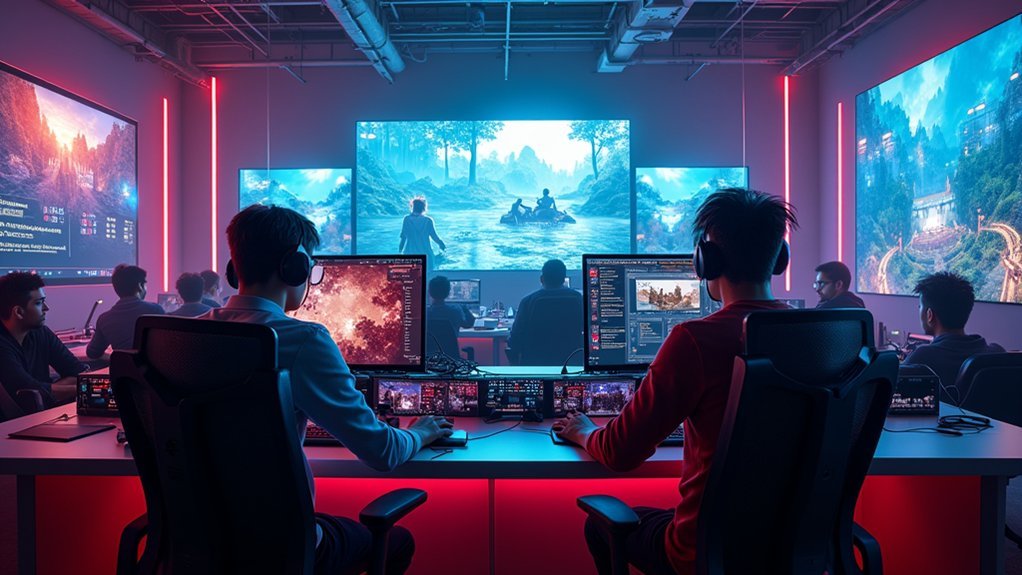
As players join and leave your multiplayer VR environment, you’ll need robust systems that seamlessly scale room capacity while preserving each participant’s progress and status.
Dynamic room scaling guarantees your game environments adjust in real-time, maintaining balance and engagement regardless of fluctuating player counts. You’ll require networking frameworks that handle joining and leaving events without disrupting ongoing gameplay or causing performance bottlenecks.
Player persistence systems retain essential data like progress, achievements, and inventory across sessions, allowing participants to drop in and out without losing their accomplishments.
Implementing cloud saving solutions enables secure data storage accessible across different devices and sessions.
This combination of dynamic room scaling and player persistence creates immersive experiences that foster social interaction and collaborative gameplay, ultimately boosting player retention rates through consistent, uninterrupted gaming experiences.
Frequently Asked Questions
What Is the Massive Multiplayer Game Server Architecture?
You’ll use a client-server model where multiple players connect to central servers. It employs load balancing, dedicated servers for game state management, sharding for scalability, and security measures for fair play.
How to Do Online Multiplayer in Moving Out?
You’ll access Moving Out’s online multiplayer through the main menu, select “Online Play,” then invite friends or join public lobbies. You can seamlessly drop in and out of sessions while coordinating chaotic moving challenges together.
What Is Drop-In Drop-Out Co-Op?
Drop-in drop-out co-op lets you join or leave multiplayer games anytime without disrupting others’ gameplay. You can seamlessly enter ongoing sessions, participate cooperatively, then exit when needed, making gaming more flexible and accessible.
Is There a Multiplayer City Building Game?
You’ll find several multiplayer city-building games available. Cities: Skylines offers multiplayer mods, Anno 1800 features cooperative modes, and SimCity 2013 includes shared region gameplay for collaborative city development.




Leave a Reply