
You’ll find that the best VR headsets with adjustable IPD features can transform blurry, uncomfortable virtual experiences into crystal-clear immersive adventures. The Meta Quest 3 offers IPD adjustment from 53mm to 75mm with a convenient scroll wheel, while the HTC Vive Pro 2 provides 60mm to 73mm range for professional use. The Valve Index features 58mm to 70mm adjustment with spring-loaded mechanisms, and the Apple Vision Pro includes automatic IPD calibration for seamless setup. These features guarantee proper lens alignment with your unique eye spacing, reducing motion sickness and eye strain while enhancing visual clarity and depth perception for extended gaming sessions.
Understanding Interpupillary Distance and Its Importance in VR
Your eyes’ interpupillary distance (IPD) – the measurement between your pupils’ centers – plays an important role in determining how comfortable and clear your VR experience will be.
When your headset’s lenses don’t align properly with your IPD, you’ll experience blurred images, eye strain, and potential motion sickness during gameplay.
Most people’s IPD ranges from 53mm to 75mm, making adjustable IPD settings vital for ideal visual comfort.
Without proper alignment, your brain struggles to process the stereoscopic images correctly, leading to fatigue and nausea.
Modern VR headsets like the Meta Quest 3 and PlayStation VR2 recognize this importance by offering mechanical IPD adjustments.
You can measure your own IPD using a ruler or ask someone to help you determine the exact distance for the best possible VR experience.
Benefits of Adjustable IPD for VR Users
Having a properly adjustable IPD feature transforms your VR sessions from potentially uncomfortable experiences into seamless, immersive adventures. When you customize the distance between lenses to match your eye spacing, you’ll immediately notice enhanced visual clarity that makes virtual environments appear crisp and natural.
This precise alignment greatly reduces your risk of motion sickness by ensuring the display matches your natural vision, allowing you to enjoy longer gaming sessions without discomfort.
You’ll also experience remarkably improved depth perception and spatial awareness, making virtual objects feel more realistic and tangible. The adjustable IPD feature accommodates your unique anatomy, ensuring that whether you have narrow or wide-set eyes, you can achieve ideal image quality and comfort for a truly immersive experience.
Meta Quest 3: Premium Standalone With Precision IPD Control
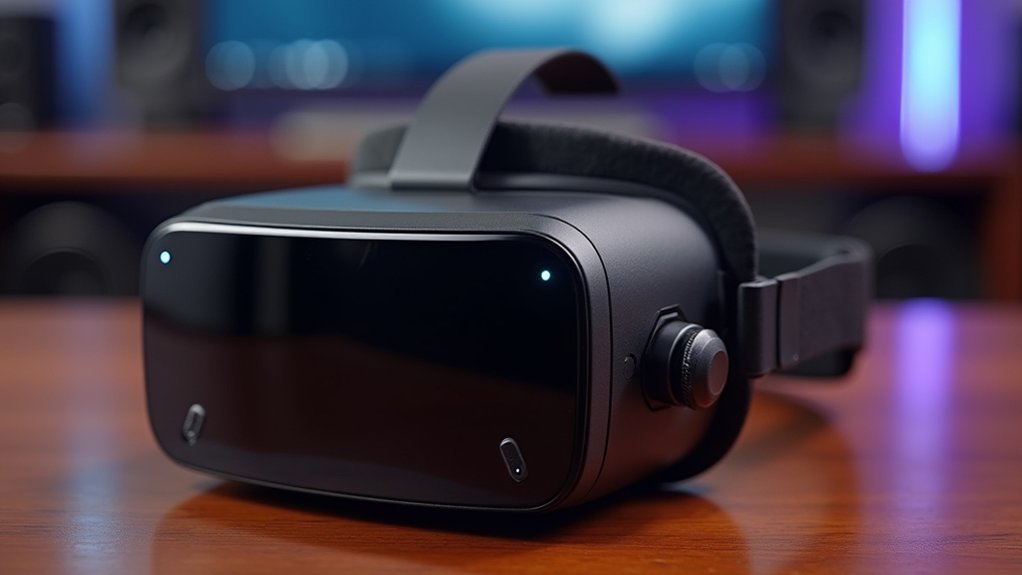
When you’re seeking a premium standalone VR experience with exceptional IPD customization, the Meta Quest 3 stands out as a flagship device that delivers professional-grade precision.
The adjustable interpupillary distance feature uses a convenient scroll wheel, letting you fine-tune settings between 53mm and 75mm for ideal visual clarity.
Fine-tune your IPD settings with precision using the scroll wheel adjustment for optimal visual clarity.
This standalone headset combines a high-resolution display of 2064 x 2208 pixels per eye with backwards compatibility across the entire Quest app library.
At just 1.13 lbs, you’ll experience comfortable extended sessions whether you’re gaming or engaging in immersive training applications.
The secure locking battery cover guarantees uninterrupted use, while the sharp visuals minimize screen door effects for crystal-clear imagery across all experiences.
HTC Vive Pro 2: Professional-Grade IPD Adjustment
You’ll find the HTC Vive Pro 2 offers a robust IPD adjustment range of 60mm to 73mm, making it suitable for most users’ eye distances.
The headset’s manual adjustment mechanism lets you fine-tune the lens spacing quickly without any tools or complicated procedures.
This precision control becomes especially valuable in professional environments where multiple users need ideal visual clarity for training, design work, or collaborative VR sessions.
IPD Range Specifications
The HTC Vive Pro 2 sets the professional standard with its robust IPD adjustment range spanning 60mm to 70mm, ensuring compatibility with roughly 95% of adult users worldwide.
This extensive range addresses the critical measurements between your pupils, directly impacting visual clarity and comfort during extended sessions. You’ll find the IPD (interpupillary distance) works seamlessly with the headset’s adjustable straps to create a personalized fit that maximizes the potential of high-resolution displays.
The precise 10mm adjustment window proves particularly valuable for immersive learning applications where visual accuracy matters most. Whether you’re on the lower or upper end of the measurement spectrum, you’ll experience peak focus without the eye strain that plagues headsets with limited adjustment capabilities.
Manual Adjustment Mechanism
Since precision matters most in professional VR environments, HTC Vive Pro 2’s manual adjustment mechanism delivers the tactile control you need through a strategically positioned dial on the bottom faceplate. You’ll appreciate the immediate feedback as you fine-tune your IPD (interpupillary distance) without removing the headset designed for extended use.
| Feature | Specification |
|---|---|
| Adjustment Range | 60mm – 68mm |
| Control Method | Physical dial |
| Location | Bottom faceplate |
| Real-time Adjustment | Yes |
| Tool Requirements | None |
This hands-on approach proves invaluable during training programs where multiple users need quick adjustments. You can accommodate various face shapes and sizes instantly, reducing setup time between sessions while ensuring ideal visual clarity and comfort for each participant.
Professional Use Benefits
When professionals demand pixel-perfect accuracy for architectural visualization or medical training simulations, HTC Vive Pro 2’s adjustable IPD mechanism becomes a vital performance differentiator.
You’ll experience enhanced visual fidelity through the 5K display (2448 x 2448 pixels per eye) when properly calibrated to your eye spacing, eliminating distortion that could compromise detailed design work.
The wide IPD adjustment range accommodates diverse team members in collaborative environments, ensuring consistent professional use across training sessions and presentations.
You’ll benefit from SteamVR Tracking V2.0’s accurate tracking capabilities, essential for precise 3D modeling and simulation work.
The user-friendly adjustment mechanism enables quick modifications between users, maintaining workflow efficiency.
For extended professional sessions, proper IPD calibration reduces eye strain while maximizing immersion quality necessary for professional applications.
Valve Index: Advanced IPD Customization for Enthusiasts
Although most VR headsets offer basic IPD adjustments, Valve Index stands out with its sophisticated customization system that caters specifically to enthusiast users who demand precision.
You’ll find the IPD (interpupillary distance) adjustment ranges from 58mm to 70mm, accommodating virtually any eye distance while minimizing strain during extended sessions.
The spring-loaded head strap complements this system perfectly, maintaining your ideal IPD setting while delivering a secure fit.
The spring-loaded head strap ensures your IPD settings stay locked in while providing rock-solid comfort during intense gaming sessions.
What makes this particularly impressive is how the IPD adjustments work seamlessly with the headset’s exceptional tracking capabilities, achieving a near-perfect 9.8 score that enhances your VR experience considerably.
You’ll appreciate the user-friendly design that allows quick modifications, making it ideal when multiple users want to experience the same lightweight design without compromising comfort or visual clarity.
PICO 4 Enterprise: Business-Focused Adjustable IPD Features
You’ll find PICO 4 Enterprise’s adjustable IPD system specifically designed for professional environments where comfort directly impacts productivity.
The headset’s IPD adjustment mechanism accommodates a wide range of users while reducing visual strain during extended training sessions and business presentations.
This enterprise-focused approach to IPD customization guarantees your team can maintain peak visual clarity throughout demanding VR workflows.
IPD Adjustment Mechanism
The PICO 4 Enterprise takes IPD adjustment seriously with its integrated mechanism that lets you fine-tune interpupillary distance for crystal-clear visuals.
You’ll find the adjustable IPD system accommodates various eye distances, ensuring every user gets ideal visual comfort regardless of their facial structure. The mechanism’s design supports seamless shifts between different users, making it perfect for shared professional environments.
When you customize interpupillary distance settings, you’re investing in better learning outcomes during enterprise training sessions.
The precise adjustment range eliminates eye strain and visual distortion that can derail productivity. You won’t struggle with blurry images or uncomfortable viewing angles that plague fixed-IPD headsets.
This thoughtful engineering makes extended VR sessions more bearable, whether you’re conducting employee training or collaborative business meetings.
Enterprise Comfort Benefits
Productivity soars when your VR headset doesn’t fight against your physiology. The PICO 4 Enterprise’s adjustable IPD settings let you fine-tune the lens distance for ideal visual comfort, reducing eye strain during extended business sessions.
At just 295 grams, you won’t experience fatigue weighing down your training programs or presentations.
The headset’s high-resolution 4K+ display delivers crystal-clear visuals that enhance detailed simulations and complex data visualization. You’ll maintain better focus throughout long-duration enterprise applications because the customized IPD alignment works with your natural eye spacing rather than against it.
Eight strategically positioned cameras guarantee seamless tracking regardless of your IPD configuration, maintaining immersive experiences across diverse team members.
This comfort-first approach translates directly into sustained productivity and engagement.
How to Properly Measure and Set Your IPD
Getting your IPD measurement right makes all the difference between a crystal-clear VR experience and one that leaves you squinting through blurry visuals. Your IPD (interpupillary distance) is the distance between your pupils’ centers, typically ranging from 53mm to 75mm.
Here’s how to measure and set your adjustable IPD for maximum comfort:
- Measure accurately – Use a ruler to measure the distance between your pupil centers while looking straight ahead, or try an online IPD measurement tool.
- Locate your headset’s adjustment mechanism – Find the physical dial or slider on your VR device.
- Set the measurement – Adjust the IPD setting to match your measured distance.
- Test and fine-tune – Put on the headset and make minor adjustments until visuals appear crisp.
Remember to recheck your IPD when sharing headsets with others.
Comparing IPD Ranges Across Top VR Headsets
When shopping for a VR headset, you’ll find that IPD adjustment ranges vary greatly across manufacturers, directly impacting which devices will work best for your unique facial measurements.
The Meta Quest 3 offers the most transparent specifications with an adjustable IPD range of 53-75mm, accommodating most users effectively.
Meta Quest 3’s 53-75mm IPD range provides clear specifications, making it easier for users to determine compatibility before purchase.
While other top VR headsets available like the Valve Index, PlayStation VR2, and HTC Vive Pro 2 feature adjustable IPD mechanisms, they don’t specify exact ranges, making comparison difficult.
Apple Vision Pro stands out with automatic IPD adjustment, eliminating manual calibration entirely.
These varying approaches to IPD (interpupillary distance) accommodation greatly affect visual clarity, comfort, and overall quality and performance, making it essential to research compatibility before purchasing.
Future Developments in VR IPD Technology
As VR technology advances, automatic IPD adjustment systems are poised to revolutionize how headsets adapt to your unique eye spacing. You’ll benefit from seamless adaptation without manual intervention, as advanced sensors detect your eye positions and dynamically adjust lens spacing in real-time.
Future IPD technology developments include:
- Real-time sensor integration – Advanced sensors will automatically detect and adjust to your interpupillary distance instantly.
- Enhanced visual clarity – Dynamic lens positioning will minimize blurriness and distortion for all users.
- Eye-tracking capabilities – Sophisticated tracking systems will monitor your interactions and refine settings accordingly.
- Personalized experiences – Headsets will learn your preferences and create customized visual profiles.
These innovations will dramatically reduce motion sickness while accommodating wider user ranges, making VR accessible to everyone regardless of their unique eye spacing requirements.
Frequently Asked Questions
How Do You Adjust the IPD on a VR Headset?
You’ll typically find a physical slider or dial near the lenses that you can move left or right until the display appears clear and comfortable for your eyes.
What VR Headset Has the Highest PPD?
You’ll find the Apple Vision Pro has the highest PPD among current VR headsets, featuring an impressive 3660 x 3200 resolution per eye that delivers exceptional visual clarity and detail.
Are VR Headsets Adjustable?
Yes, you’ll find most modern VR headsets are adjustable. You can modify interpupillary distance settings, head strap fit, and lens positioning to match your unique measurements and guarantee comfortable, clear viewing experiences.
Has Anyone Gone Blind From VR?
You don’t need to worry about going blind from VR headsets. There aren’t any confirmed cases of permanent blindness from VR use, though you might experience temporary eye strain.




Leave a Reply