

You can dramatically reduce hand tracking latency by implementing sensor fusion algorithms that combine IMU and optical sensor data, achieving up to 40% latency reduction. Integrate predictive motion processing to anticipate hand movements, cutting response times by 75% during rapid gestures. Optimize your rendering pipeline using foveated rendering and maintain 90+ FPS targets for seamless interactions. Fast motion mode implementation proves essential for high-speed applications like fitness games, while continuous performance profiling reveals bottlenecks that’ll release even greater responsiveness optimizations.
Understanding Hand Tracking Latency in VR Systems
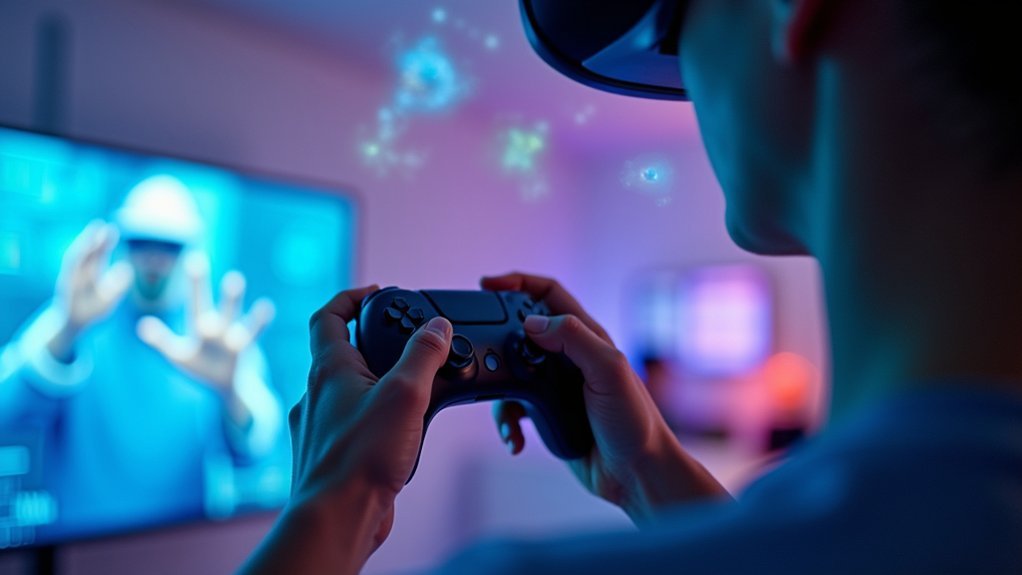
When you move your hand in a VR environment, the delay between that physical movement and its representation on screen determines your level of immersion and control.
Hand tracking latency measures this critical delay, directly affecting how natural and responsive your interactions feel.
High latency creates a disconnect between your intentions and virtual actions, breaking immersion and frustrating your experience. You’ll notice delayed responses when reaching for objects, making gestures, or performing precise movements. This lag can cause motion sickness and reduce accuracy in applications requiring fine motor control.
Achieving low latency becomes essential for maintaining believable interactions. Your user experience depends on this responsiveness, especially in fast-paced applications like fitness games or creative tools where immediate feedback guarantees smooth, natural control that feels intuitive rather than artificial.
Hardware Optimization Techniques for Faster Response Times
You’ll achieve faster hand tracking response times by implementing sensor fusion algorithms that combine data from multiple sensors to improve positional accuracy.
Optimizing your CPU resource allocation guarantees processing power is efficiently distributed between hand tracking computations and other system tasks.
You can further reduce latency by incorporating predictive motion processing that anticipates hand movements based on velocity and trajectory patterns.
Sensor Fusion Algorithms
While traditional hand tracking systems rely on single-sensor approaches that often struggle with occlusion and rapid movements, sensor fusion algorithms revolutionize performance by intelligently combining data from multiple hardware sources.
These tracking systems integrate IMUs with optical sensors, creating a thorough view of hand movements that maintains accuracy even when parts of your hand aren’t visible.
You’ll experience dramatic latency reduction—up to 40% in typical VR usage scenarios. During fast movements, advanced predictive algorithms can achieve an impressive 75% reduction in response time.
This real-time processing enables seamless shifts between hand and controller inputs, ensuring smooth interactions throughout your VR experience. By predicting hand positions during occlusion, sensor fusion algorithms deliver the responsiveness essential for truly immersive virtual environments.
CPU Resource Allocation
Strategic CPU resource allocation forms the backbone of low-latency hand tracking systems, where every millisecond counts for seamless VR interactions.
You’ll achieve peak performance by offloading physics calculations to separate threads, preventing bottlenecks that disrupt your immersive experience. Implement asynchronous processing techniques to maximize CPU efficiency during input detection phases.
Prioritize hand tracking tasks over less critical processes, especially during high-speed interactions where responsiveness matters most. You should organize data into smaller packets and reduce computational complexity to accelerate processing times.
Regular profiling reveals underutilized CPU areas, letting you fine-tune resource distribution. Effective CPU resource allocation directly translates to reduced hand tracking latency, creating smoother interactions that maintain presence in virtual environments.
Smart threading strategies guarantee your tracking data flows efficiently through processing pipelines.
Predictive Motion Processing
Because predictive motion processing anticipates hand movements before they’re fully captured, you’ll experience greatly reduced latency that transforms sluggish tracking into fluid, natural interactions.
This advanced technique analyzes your previous motion data to predict where your hands will move next, enabling faster response times in VR applications.
You’ll benefit from sensor fusion techniques that combine data from multiple sensors, enhancing hand tracking accuracy through predictive models.
The algorithms smooth out motion capture data, considerably reducing perceived latency for more immersive experiences. Low-latency processing units facilitate real-time hand position predictions, maintaining high frame rates while reducing motion blur.
Regular SDK updates from Meta provide access to advanced predictive features, allowing you to optimize tracking performance continuously through improved predictive motion processing capabilities.
Advanced Sensor Fusion Algorithms for Improved Accuracy
You’ll achieve superior hand tracking performance by implementing advanced sensor fusion algorithms that intelligently combine data from multiple input sources.
These sophisticated systems integrate information from cameras, inertial sensors, and other tracking devices to create a thorough understanding of hand position and movement.
The key components you’ll need to master include multi-sensor data integration for enhanced accuracy, predictive motion algorithms that anticipate hand positions, and real-time calibration methods that maintain peak performance throughout your VR session.
Multi-Sensor Data Integration
When your hand tracking system relies on a single sensor, you’re bound to encounter accuracy limitations that create noticeable latency during rapid movements.
Multi-sensor data integration solves this by combining streams from cameras and inertial sensors, creating a cohesive representation of hand positions that dramatically improves tracking performance.
You’ll achieve enhanced accuracy through advanced sensor fusion algorithms that reduce positional discrepancies between different data sources.
These predictive algorithms anticipate your hand movements, maintaining smooth tracking even when limbs temporarily disappear from view.
High-frequency data sampling and processing optimize pose estimation, reducing latency during fast movements in fitness and rhythm games.
Continuous profiling guarantees your hand tracking system adapts to new behaviors and environmental conditions, delivering consistently responsive performance.
Predictive Motion Algorithms
Although traditional hand tracking systems struggle to keep pace with rapid gestures, predictive motion algorithms revolutionize performance by analyzing historical movement patterns to anticipate your next hand position before it occurs.
These algorithms utilize advanced sensor fusion techniques, integrating data from multiple sensors to enhance accuracy and reliability. By predicting where your hands will move next, they greatly reduce latency during quick shifts and maintain fluid responsiveness even when your hands temporarily leave sensor view.
The implementation creates smoother interactions in immersive environments, minimizing lag between your input and on-screen response.
This enhanced predictive capability proves essential for fast-paced applications like gaming and fitness, where split-second timing matters most for maintaining immersion.
Real-Time Calibration Methods
Real-time calibration methods continuously fine-tune your hand tracking system’s performance by analyzing incoming sensor data and adjusting parameters on the fly.
These techniques leverage feedback from your hand’s previous positions to correct tracking errors, markedly reducing latency and creating more responsive interactions. You’ll notice smoother changes during fast movements as the system anticipates and compensates for potential drift or noise.
Your tracking capabilities improve considerably when machine learning algorithms adapt to your unique hand movements and environmental conditions.
This personalized approach means the system learns your behavioral patterns, delivering increasingly accurate results over time. Advanced filtering techniques smooth out data inconsistencies, preventing latency spikes that could disrupt your immersive experiences.
The continuous adjustment process guarantees peak performance without requiring manual recalibration.
Fast Motion Mode Implementation for High-Speed Applications
Since modern applications demand instantaneous responses to user gestures, Fast Motion Mode (FMM) serves as a critical solution for developers building high-speed interactive experiences. You’ll achieve up to 75% latency reduction during rapid movements, making your hand tracking applications remarkably more responsive.
FMM particularly excels in fitness and rhythm apps where quick actions require seamless execution.
You can test FMM’s capabilities using the open-source Move Fast demo app, which helps you optimize your high-speed applications effectively. The mode leverages advanced high-frequency tracking techniques that deliver smoother, more natural interactions in demanding scenarios.
Implementation documentation supports Unity, Unreal, and Native platforms, ensuring you can integrate FMM across diverse development environments for widespread compatibility.
Rendering Pipeline Optimizations to Minimize Delays
You’ll need to optimize your rendering pipeline to squeeze every millisecond out of your hand tracking system’s performance.
Start by implementing foveated rendering techniques that reduce computational load in your peripheral vision areas while maintaining full detail where your hands interact.
Focus on frame rate optimization and smart GPU resource management to guarantee you’re hitting consistent 90+ FPS targets that keep latency imperceptible.
Foveated Rendering Techniques
Optimize your VR hand tracking performance by implementing foveated rendering techniques that strategically reduce computational overhead in peripheral vision areas. You’ll achieve up to 30% frame rate improvements by focusing processing power where your eyes naturally look, directly reducing hand tracking latency.
| Rendering Zone | Resolution Quality | Performance Impact |
|---|---|---|
| Foveal (center) | Full resolution | High detail accuracy |
| Mid-peripheral | 50% resolution | Balanced processing |
| Far-peripheral | 25% resolution | Maximum optimization |
Eye-tracking technology predicts your gaze direction, ensuring high-resolution rendering aligns with your focus while minimizing processing elsewhere. This approach enables faster rendering times since less data requires processing in lower-resolution regions. You’ll experience smoother, more responsive hand tracking as foveated rendering reduces the overall computational load on your system.
Frame Rate Optimization
Maintaining 90 FPS or higher becomes critical when you’re trying to eliminate perceptible delays in hand tracking systems. Lower frame rates directly impact immersion and create noticeable lag that disrupts natural hand interactions.
To achieve ideal rendering efficiency, you’ll need to implement several key strategies:
- Deploy Level of Detail (LOD) systems that simplify geometry and textures when detailed views aren’t necessary, reducing computational overhead considerably.
- Utilize asynchronous timewarp or spacewarp techniques to dynamically adjust frames based on head movement, maintaining responsiveness during rapid actions.
- Leverage profiling tools like Unity’s Frame Debugger or Unreal Engine’s GPU Visualizer to identify performance bottlenecks in your rendering pipeline.
These optimizations guarantee your hand tracking system maintains the high frame rates essential for seamless user experiences.
GPU Resource Management
While frame rate optimization establishes the foundation for responsive hand tracking, effective GPU resource management determines whether your system can sustain those high frame rates under demanding conditions.
You’ll need strategic approaches to minimize rendering load and eliminate performance bottlenecks that cause tracking delays.
| Technique | GPU Impact | Latency Reduction |
|---|---|---|
| Foveated Rendering | Reduces peripheral detail processing | 30-40% improvement |
| LOD Systems | Simplifies geometry/textures dynamically | 20-25% improvement |
| Asynchronous Timewarp | Enables dynamic frame adjustments | 15-20% improvement |
| Thread Offloading | Frees GPU resources from physics | 25-30% improvement |
| Profiling Tools | Identifies specific bottlenecks | Varies by issue |
Use Unity’s Frame Debugger or Unreal’s GPU Visualizer to pinpoint exactly where your GPU resources are being wasted, then apply targeted optimizations for maximum hand tracking responsiveness.
Real-Time Data Processing Strategies for Hand Movements

Because hand movements occur in milliseconds, you’ll need robust data processing strategies that can keep pace with human motion. Your real-time responsiveness depends on implementing efficient algorithms that minimize computational overhead while maximizing accuracy.
To optimize your hand tracking performance, focus on these key strategies:
- Sensor fusion algorithms – Combine data from multiple sensors to enhance position tracking accuracy and improve overall system reliability.
- Predictive algorithms – Anticipate hand movements before they complete, reducing perceived latency during rapid gestures and interactions.
- Optimized polling rates – Increase input detection frequency to capture subtle movements and guarantee gesture recognition happens instantaneously.
You’ll also want to leverage on-device processing to eliminate external communication delays.
Continuous profiling of your applications will reveal performance bottlenecks, allowing you to make targeted improvements that enhance your system’s capability.
Multimodal Tracking Solutions for Enhanced Performance
Building on these processing optimizations, multimodal tracking solutions combine hand and controller inputs to create a more responsive and versatile interaction system. You’ll experience seamless changes between natural hand gestures and controller-based interactions, enhancing your VR experiences greatly. This hybrid approach reduces latency while maintaining precision across different interaction modes.
| Feature | Hand Only | Controller Only | Multimodal Tracking |
|---|---|---|---|
| Latency | Higher | Lower | Optimized |
| Social Presence | High | Limited | Enhanced |
| Precision | Variable | Consistent | Balanced |
| Use Cases | Gestures | Gaming | All Applications |
When you implement multimodal tracking, you’re accessing advanced algorithms that dynamically adjust hand poses based on controller signals. You can choose between natural hand poses and controller-specific poses, making your hand tracking system ideal for fast-paced applications like fitness and rhythm games.
Predictive Algorithms for Seamless Gesture Recognition
As your hand moves through virtual space, predictive algorithms are already calculating where it’s heading next, dramatically reducing the gap between intention and action.
These intelligent systems analyze your current movement patterns to anticipate future hand positions, enabling smoother gesture recognition even during rapid motions.
Predictive algorithms deliver exceptional performance through:
- Sensor fusion integration – Combining multiple sensor inputs for enhanced tracking accuracy
- Machine learning adaptation – Continuously improving by learning your unique behavioral patterns
- Real-time processing optimization – Minimizing computational delays between detection and response
You’ll experience up to 75% latency reduction during fast movements, making fitness and rhythm games incredibly responsive.
This predictive approach guarantees your gestures translate instantly into virtual actions, maintaining the immersion that makes VR experiences truly enchanting.
Frame Rate Optimization for Smooth Hand Movement Integration
While predictive algorithms set the foundation for responsive hand tracking, your VR system’s frame rate determines whether those predictions translate into truly fluid interactions.
You’ll need to maintain 90 FPS or higher for truly immersive experiences, as anything lower creates noticeable lag that breaks presence.
Frame rate optimization starts with foveated rendering, which reduces detail in your peripheral vision while preserving processing power for hand tracking responsiveness.
You should implement asynchronous timewarp or spacewarp techniques to dynamically adjust frames and minimize perceived latency.
Level of Detail systems help by simplifying geometry and textures, freeing resources for accurate tracking.
Regular profiling using Unity’s Frame Debugger or Unreal Engine’s GPU Visualizer reveals rendering bottlenecks, enabling you to fine-tune performance for seamless hand movement integration.
Performance Profiling Tools for Latency Measurement and Analysis
To achieve consistently low latency in hand tracking, you’ll need specialized profiling tools that measure and analyze performance bottlenecks with surgical precision.
Performance profiling tools like Unity’s Frame Debugger and Unreal Engine’s GPU Visualizer provide essential insights into your application’s real-time behavior.
These tools help you identify latency bottlenecks through:
- Frame rate monitoring – Track rendering times and maintain peak performance for immersive experiences
- Controller polling analysis – Examine hand controller response rates to enhance input detection
- Asynchronous rendering – Implement timewarp techniques that dynamically adjust frames based on user movement
Regular profiling during development enables iterative improvements, ensuring you address latency issues before deployment.
Continuous performance testing throughout development cycles prevents latency problems from reaching production environments.
This systematic approach guarantees smoother hand tracking performance and delivers the responsive, immersive experiences users expect.
Frequently Asked Questions
How to Fix Bad Hand Tracking on Oculus Quest 2?
Update your Quest 2’s software, guarantee proper lighting in your play area, enable Fast Motion Mode, recalibrate headset positioning regularly, and maintain ideal hand distance from the headset’s cameras.
How Do You Disable Hand Tracking in Immersed VR?
You’ll need to open Immersed VR’s settings by clicking the gear icon, then find “Tracking” or “Input” options to toggle hand tracking off. Restart the application afterward for changes to take effect.
How to Improve Quest 3 Hand Tracking?
You’ll improve Quest 3 hand tracking by updating to v56+, enabling Fast Motion Mode for fitness apps, using experimental Multimodal tracking, optimizing with sensor fusion algorithms, and regularly profiling your application’s performance.
How to Enable Finger Tracking?
You’ll enable finger tracking by integrating Meta’s latest SDKs into Unity, Unreal, or Native apps. Update to v56 firmware, activate Fast Motion Mode, and test using the Move Fast demo app for ideal performance.



