

You’ll craft powerful immersive training experiences by establishing clear learning objectives that align with real-world applications, then selecting VR tools that balance your budget with essential interactive features. Design realistic scenarios that replicate workplace challenges while incorporating multi-sensory elements like visuals, sounds, and haptic feedback to boost retention by 70%. Add gamification through points and badges, implement collaborative features for social learning, and track performance metrics to continuously refine your approach for maximum effectiveness.
Understanding the Foundation of Immersive Training Technologies
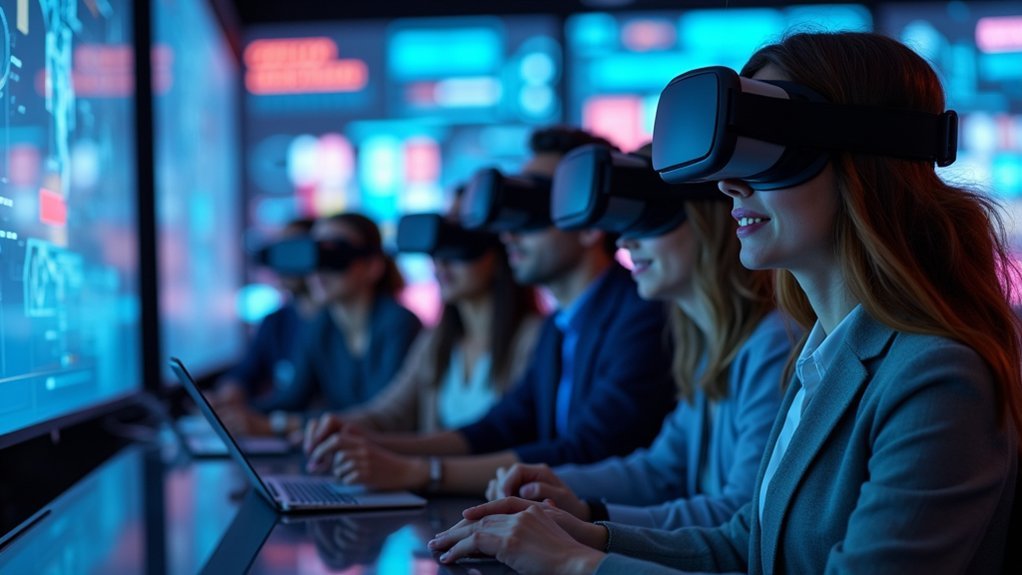
Revolution often begins with a single breakthrough, and immersive training technologies represent that pivotal moment in education. When you’re designing effective learning experiences, you’ll discover that virtual reality (VR) and AR create interactive environments that fundamentally transform how people acquire skills.
These technologies don’t just present information—they engage multiple brain regions responsible for knowledge retention, making learning stick longer than traditional methods.
Immersive technologies activate multiple brain regions simultaneously, creating deeper neural pathways that enhance retention far beyond conventional learning approaches.
You’ll find that immersive training excels because it accommodates diverse learning styles while providing a controlled environment for practice. Whether you’re teaching complex procedures or soft skills, these platforms let learners make mistakes safely.
The key lies in establishing clear learning objectives that drive real-world application, creating emotional connections that motivate continued engagement and deeper understanding.
Defining Clear Learning Objectives and Audience Needs
You can’t build an effective immersive training experience without first establishing what you want learners to achieve and who they are.
Start by setting specific, measurable goals that clearly define the skills or knowledge participants should gain from the experience.
Next, analyze your audience’s current expertise level, learning preferences, and real-world context to guarantee your training content resonates with their needs.
Establish Specific Goals
Before diving into immersive technology development, establishing specific goals forms the cornerstone of effective training design. You’ll need to identify what specific skills learners need to acquire and define measurable learning objectives that guide your entire project.
Consider your audience’s expertise level to create tailored content that resonates with their background knowledge. Set clear time constraints and desired outcomes for your immersive experience. These parameters help you design focused learning paths within your immersive environment.
Whether you’re using VR for controlled simulations or AR for real-world integration, your goals should dictate technology choices. Don’t forget to establish mechanisms for collecting learner feedback and performance data.
This information becomes invaluable for refining your objectives and ensuring they remain aligned with evolving industry standards and learner requirements.
Understand Your Learners
While technology capabilities often capture the spotlight in immersive training development, understanding your learners’ unique characteristics and needs determines whether your carefully crafted experience will succeed or fail.
You’ll need to analyze your audience’s age, background, and prior knowledge to create relevant content that’s appropriately challenging. This deep understanding enables personalized learning paths that align with individual expertise levels and expectations.
When you incorporate real-world contexts that resonate with learners’ actual work environments, you’ll boost engagement and demonstrate practical value.
Don’t forget to establish feedback mechanisms and track performance metrics throughout your training experiences. These insights help you refine learning objectives and guarantee your immersive content remains effective in meeting evolving educational goals.
Selecting the Right VR Content Creation Tools and Platforms
You’ll need to evaluate your target devices and hardware requirements to guarantee seamless compatibility across different VR platforms.
Your budget constraints will directly influence which features you can access, so weigh essential capabilities against nice-to-have extras.
Focus on platforms that prioritize intuitive user experiences, as complex interfaces can derail your development timeline and compromise training effectiveness.
Platform Compatibility Assessment
Although numerous VR content creation tools flood the market today, selecting the right platform requires a methodical assessment that starts with your specific learning objectives and desired training outcomes.
Platform compatibility becomes critical when evaluating how well these tools integrate with your existing systems and accommodate diverse learner needs across varying technical skills levels.
Your assessment should focus on these key areas:
- Hardware Integration – Verify seamless integration with current VR headsets and computing infrastructure
- User Experience Design – Evaluate navigation simplicity and accessibility features for all learners
- Scalability Planning – Confirm platforms can expand with future training programs and content updates
- Performance Validation – Review case studies demonstrating effectiveness in similar VR content creation scenarios
This systematic approach guarantees suitable platform selection for immersive training success.
Budget Vs Feature Balance
After identifying platform compatibility requirements, you’ll face the challenge of balancing your available budget against the features you actually need.
VR content creation tools range from free to several thousand dollars, so evaluate the cost-effectiveness of each option carefully. Subscription-based pricing models offer flexibility, letting you access advanced features without massive upfront costs while managing budget constraints effectively.
Prioritize features that enhance interactive elements and user engagement, as these directly impact your immersive learning experiences. The features offered must align with your specific training objectives to justify the investment.
Before committing fully, conduct a pilot test with your selected platform. This validation process helps identify potential issues and confirms whether the tool truly delivers the cost-effectiveness needed for your training program’s success.
User Experience Capabilities
When evaluating VR content creation platforms, focus on how well they deliver intuitive user experiences that match your learners’ technical comfort levels. Your choice of VR content creation tools directly impacts how effectively participants engage with your immersive learning environment.
Consider these essential user experience capabilities:
- Intuitive Navigation Systems – Guarantee your virtual environment allows learners to move naturally without motion sickness or confusion.
- Real-time Feedback Mechanisms – Choose platforms that provide immediate responses to learner actions, enhancing interactive learning.
- User-friendly Authoring Tools – Select solutions like Engage or CenarioVR that don’t require programming expertise.
- Analytics Features Integration – Implement systems that track engagement metrics throughout your training program.
Prioritize scalability when building your immersive experiences, guaranteeing your platform grows with expanding user demands while maintaining seamless performance.
Designing Realistic Scenarios and Interactive Environments

Since learners retain information more effectively when they can practice in environments that mirror their actual work conditions, designing realistic scenarios becomes the foundation of successful immersive training.
When you design immersive experiences, you’ll create interactive environments that replicate workplace challenges, enhancing skill transferability to real-life situations.
Incorporate multi-sensory elements like visuals, sounds, and haptic feedback to forge emotional connections that improve memory retention.
Use branching storylines that let learners make choices leading to different outcomes, developing their critical thinking skills through consequence-based learning.
Add time constraints and high-pressure situations to mirror actual workplace stress.
Most importantly, integrate immediate feedback mechanisms that reinforce learning by showing participants how their decisions impact results, ultimately improving learning outcomes.
Incorporating Multi-Sensory Elements and Gamification Strategies
Building on these realistic foundations, multi-sensory elements transform ordinary training into powerful learning experiences that stick with participants long after sessions end.
Multi-sensory training elements create lasting learning experiences that participants retain and apply long beyond the session’s end.
When you engage multiple senses through visuals, sounds, and haptic feedback, you’ll boost memory retention by up to 70% while creating emotional connections that enhance learning by 40%.
Gamification strategies amplify learner engagement in immersive experiences:
- Award points and badges to increase participation rates by 50% and motivate continuous progress
- Design collaborative challenges that improve teamwork satisfaction by 20% in training environments
- Create leveled progression systems that enhance problem-solving skills through incremental difficulty
- Integrate social learning elements that foster collaborative learning and peer interaction
These combined approaches create training environments where participants don’t just learn—they experience, remember, and apply knowledge effectively.
Implementing Collaborative Features and Social Learning Components
As learners crave meaningful connections with peers, implementing collaborative features transforms isolated training into dynamic social environments where knowledge flows naturally between participants.
You’ll boost learner engagement by incorporating multiplayer settings that foster teamwork through real-time scenarios. Discussion forums and group activities create communities that enhance knowledge sharing while improving information retention by up to 50%.
Gamification elements like team challenges motivate participants and create accomplishment. Real-time feedback mechanisms help you understand performance while encouraging peer-to-peer learning reinforcement.
These social learning components make immersive training more interactive and enjoyable.
When you combine collaborative features with problem-solving activities, you’re creating powerful learning experiences that stick. Your participants won’t just absorb information—they’ll actively engage, share insights, and build lasting professional relationships.
Measuring Effectiveness Through Data Analytics and Learner Feedback
While collaborative features create engaging learning environments, you’ll need robust measurement systems to validate your training’s impact and guide continuous improvement.
Data analytics transforms raw learning data into actionable insights for measuring effectiveness.
Here’s how to leverage analytics and learner feedback:
- Track performance metrics – Monitor interactions, completion rates, and task duration to assess engagement and identify learning bottlenecks in your immersive training.
- Collect qualitative insights – Use surveys and interviews to gather learner feedback about perceived utility and areas needing enhancement.
- Analyze knowledge retention – Compare pre- and post-training assessments to measure skill acquisition and learning outcomes.
- Enable ongoing enhancement – Use real-time performance data to refine training content and methodologies continuously.
Frequently Asked Questions
How Do You Create an Immersive Experience?
You’ll define clear objectives, choose appropriate technology like VR or AR, tailor content to your audience, incorporate storytelling and gamification, foster hands-on interactivity, and continuously evaluate effectiveness through performance metrics and feedback.
What Can Provide Immersive Training Experiences?
You can provide immersive training experiences through VR and AR technologies, multi-sensory elements like visuals and haptics, real-world simulations, compelling storytelling with gamification, and immediate feedback mechanisms for enhanced learning.
What Is an Example of Immersive Learning?
You can experience immersive learning through VR medical simulations where you’ll perform virtual surgeries without patient risk. You’ll also find AR manufacturing training that overlays step-by-step assembly processes directly onto real equipment.
What Is the Immersive Training Method?
The immersive training method uses VR and AR technologies to create interactive learning environments where you’ll practice real-world scenarios safely, engaging multiple senses while developing critical thinking and problem-solving skills effectively.



