
You’ll find that wireless VR headsets solve smartphone virtual reality’s biggest problems by eliminating tangled cables that constantly interrupt your immersion. Without wires restricting your movement, you can naturally explore virtual environments and enjoy dynamic interactions that create authentic gaming experiences. Wireless connectivity also simplifies setup since you won’t need to sort through multiple cables and ports, making VR more accessible while reducing costs compared to traditional wired systems that require additional hardware and maintenance.
The Evolution of Mobile Virtual Reality Technology
While virtual reality once seemed like distant science fiction, mobile VR technology made immersive experiences accessible to millions through simple, affordable solutions.
You witnessed this evolution firsthand when Google launched Cardboard and Daydream, transforming your smartphone into a VR gateway. Samsung’s Gear VR demonstrated mobile VR’s true potential, delivering high-quality content through compatible devices.
However, you’ve probably noticed the decline in smartphone-based VR adoption. You faced frustrating limitations like removing phone cases and dealing with short usage sessions.
Google’s Daydream discontinuation reflected what you experienced – lack of sustained engagement in mobile VR.
Now you’re seeing the shift toward standalone headsets like Oculus Quest 2, which offer more immersive experiences without smartphone dependency, reshaping your expectations for portable virtual reality.
Limitations of Wired VR Connections for Smartphones
When you’re using a wired VR headset with your smartphone, you’ll quickly discover that tangled cables become a constant frustration during your virtual adventures.
You can’t move freely or turn around naturally because the cord restricts your range of motion, breaking the immersion you’re trying to achieve.
Managing these cables while staying engaged in your VR experience creates an awkward balance that often leaves you feeling more like you’re fighting technology than enjoying it.
Cable Management Issues
Cable management becomes a significant obstacle as soon as you connect your smartphone to a wired VR headset.
You’ll constantly battle tangled cables that wrap around your arms and legs during gameplay. These wires create genuine tripping hazards, especially when you’re fully immersed and can’t see your physical surroundings.
You’ll find yourself stopping mid-experience to untangle cables or adjust their positioning, completely breaking your concentration and ruining the immersion.
The cables also limit how you can move and position yourself. You can’t freely turn around or step back without worrying about cable length or getting twisted up.
This physical constraint defeats the purpose of portable VR gaming on your smartphone. A wireless headset eliminates these frustrating cable management problems entirely, letting you focus on the virtual world instead of wire logistics.
Movement Restriction Problems
Beyond the hassle of tangled wires, wired VR connections create fundamental movement restrictions that undermine your smartphone’s portability advantage. You’ll find yourself constantly fighting against the physical tether, unable to turn freely or explore virtual environments naturally. The wire’s length becomes your prison, preventing the spatial awareness that modern VR applications demand.
| Movement | Wired VR | Your Experience |
|---|---|---|
| Free turning | Restricted | Frustrating limitations |
| Room exploration | Cable-bound | Constant wire awareness |
| Dynamic interactions | Compromised | Reduced immersion |
This constraint leads to discomfort and fatigue, diminishing your overall sense of presence. Wireless VR technology eliminates these barriers, enabling seamless shifts and dynamic interactions that keep you engaged longer while maximizing your smartphone’s true potential.
Enhanced Freedom of Movement in Virtual Environments

While traditional VR setups tether you to a computer with cables, wireless headset virtual reality fundamentally transforms how you experience virtual worlds by granting complete freedom of movement.
You can now explore larger physical spaces without worrying about tripping over wires or getting tangled up during intense gaming sessions.
This enhanced mobility dramatically expands your range of VR activities. You’ll find yourself ducking, dodging, and moving naturally through virtual environments, creating a more authentic experience.
The seamless connectivity of devices like the Alcatel Vision VR guarantees high-quality content streaming without interruption.
Research shows that this increased freedom leads to higher user satisfaction and longer engagement times.
You’ll stay immersed longer because you can move instinctively, making virtual experiences feel genuinely real and enthralling.
Improved Gaming Experiences With Wireless VR Solutions
You’ll experience markedly enhanced movement freedom when gaming with wireless VR headsets, as the absence of cables allows you to move naturally throughout your play space without physical constraints.
This unrestricted mobility creates more immersive gameplay where you can dodge, duck, and explore virtual worlds with fluid, realistic movements.
The improved responsiveness and natural interactions that wireless technology provides also reduce motion sickness, making your gaming sessions more comfortable and enjoyable.
Enhanced Movement Freedom
When you strap on a wireless VR headset, you’re immediately freed from the tangled mess of cables that once tethered you to a computer or console.
This liberation transforms how you interact with virtual environments, enabling dynamic movements like dodging attacks, running across landscapes, and exploring full 360-degree spaces without fear of tripping over cords.
Wireless VR solutions deliver low-latency connections that track your movements in real-time, ensuring accurate responses during fast-paced gaming scenarios.
Standalone headsets like the Oculus Quest 2 provide all-in-one experiences without requiring external devices, making VR accessible to broader audiences.
This enhanced movement freedom extends your play sessions and deepens engagement since physical limitations no longer hinder your immersion in virtual worlds.
Reduced Motion Sickness
Beyond the physical benefits of untethered movement, wireless VR headsets tackle one of the technology’s most persistent challenges: motion sickness. When you’re not constantly worrying about tripping over cables, you’ll naturally move more freely and confidently.
This freedom creates a more immersive experience that reduces the disconnect between your virtual and physical movements—a primary cause of VR-induced nausea.
Wireless VR solutions deliver minimal latency and fewer interruptions, which studies show greatly decreases discomfort during gameplay. You’ll experience enhanced spatial awareness through advanced tracking technologies that prevent disorientation.
Without tangled wires restricting your movements, you can focus entirely on your gaming performance rather than technical limitations. This seamless experience eliminates the jarring moments that typically trigger motion sickness in traditional tethered setups.
Wireless VR Headsets Reduce Setup Complexity
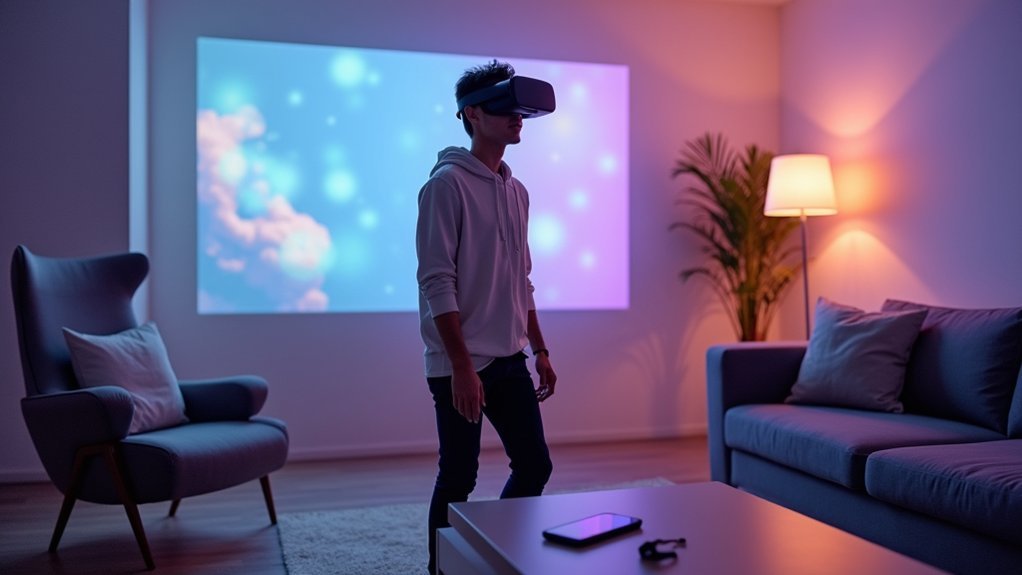
Traditional VR setups require you to connect multiple cables between your headset, computer, and power outlets, creating a tangled web that’s both time-consuming and frustrating to manage.
Wireless VR headsets eliminate this complexity entirely. You’ll no longer need to sort through various cords, locate specific ports, or worry about compatibility issues between devices. Instead, you can simply power on your headset and connect wirelessly within seconds.
Modern wireless VR headsets leverage advanced technology like Wi-Fi 6 to establish seamless connections without sacrificing performance.
This streamlined approach means you’ll spend less time setting up and more time enjoying immersive experiences. The simplified process makes virtual reality accessible to users who might’ve been intimidated by traditional complex installations.
Battery Life and Power Management in Wireless Systems
While wireless VR headsets eliminate cable management hassles, they introduce a new consideration: battery performance. You’ll need to understand how these systems manage power to maximize your immersive experiences without interruptions.
Modern wireless VR headsets employ sophisticated power management systems that optimize battery life through several key strategies:
- Power-efficient components – OLED displays and low-power processors extend usage time compared to traditional alternatives.
- Smart performance scaling – Dynamic adjustment of system performance based on remaining battery levels.
- Real-time monitoring – Companion apps and built-in indicators help you track power consumption during sessions.
- Optimized usage patterns – Battery life typically ranges from 2-6 hours depending on display settings and usage intensity.
These features guarantee you can plan extended VR sessions while maintaining consistent performance throughout your wireless experience.
Compatibility Between Smartphones and Wireless VR Devices
You’ll need to understand device pairing standards when connecting your smartphone to a wireless VR headset, as different manufacturers often use varying protocols for establishing connections.
Cross-platform connectivity becomes particularly challenging when you’re trying to use an Android device with a headset optimized for iOS, or vice versa.
These compatibility issues can limit your access to certain VR apps and may result in reduced performance or missing features.
Device Pairing Standards
Since wireless VR headsets rely on seamless connectivity to deliver immersive experiences, device pairing standards determine whether your smartphone can successfully communicate with your chosen headset.
These standards guarantee peak virtual reality performance across different brands and operating systems.
Most wireless VR headsets use Bluetooth technology for communication, enabling remote control functionality and data transfer between devices.
However, you’ll need to verify compatibility before purchasing, as many headsets work only with specific smartphone models.
Key considerations for device pairing standards include:
- Bluetooth version compatibility – Newer standards offer better performance and lower latency
- Operating system requirements – iOS and Android may have different pairing protocols
- Hardware specifications – Your phone must meet minimum processing and memory requirements
- Cross-platform standards like OpenXR – These simplify integration across various devices and manufacturers
Cross-Platform Connectivity Issues
Cross-platform connectivity issues create important barriers when attempting to pair wireless VR headsets with different smartphone models and operating systems.
You’ll find that many VR devices require specific iOS or Android versions, limiting your hardware choices considerably. Without standardized wireless protocols across manufacturers, you can’t expect seamless integration between your phone and headset.
These compatibility restrictions force you to invest in particular smartphones or adapters, increasing your overall costs. You might discover your current device won’t support certain VR experiences, despite meeting basic technical requirements.
The fragmented ecosystem means developers can’t create universal solutions easily.
As wireless VR technology advances, addressing cross-platform connectivity issues becomes essential for expanding accessibility and improving your user experience across diverse mobile devices.
Cost Benefits of Wireless VR for Mobile Users
While traditional VR setups require expensive gaming PCs and complex cable management systems, wireless VR headsets offer mobile users a cost-effective entry point into virtual reality.
You’ll find that wireless VR headsets have become increasingly affordable, with options like the Alcatel Vision VR priced between €500 and €600.
Here are four key cost benefits you’ll experience:
- No additional hardware needed – Your smartphone becomes the processing power, eliminating expensive PC requirements.
- Reduced setup costs – Wi-Fi connectivity means no complex cable installations or room modifications.
- All-in-one value – Many headsets include built-in content libraries with 100+ VR videos and 50+ games.
- Lower maintenance expenses – Fewer cables and components mean reduced replacement and repair costs.
Social VR Applications and Wireless Connectivity
As wireless VR technology transforms how you connect with others, social applications have emerged as one of the most compelling reasons to invest in untethered headsets.
Platforms like VRChat and Facebook Horizon rely on wireless connectivity to enable real-time communication and collaboration in shared virtual spaces. Without cumbersome cables, you’ll move freely and interact naturally with friends and family, creating more immersive experiences that enhance satisfaction and retention.
Social VR applications thrive when you’re untethered from devices, allowing fluid interactions that feel realistic and engaging. You can create lasting memories while exploring virtual environments together, fostering genuine community engagement.
This wireless freedom aligns perfectly with growing demand for meaningful social connectivity, making shared virtual experiences more accessible and enjoyable than ever before.
Future Developments in Wireless Mobile VR Technology
The social connections you’re building today represent just the beginning of wireless VR’s potential.
Future developments in wireless mobile VR technology will revolutionize how you experience virtual worlds. Advanced 5G networks will eliminate lag and streaming issues you currently face, while cloud computing integration means you won’t need expensive hardware for stunning graphics.
Here’s what’s coming next:
- Extended battery life with lightweight designs for comfortable all-day use
- Real-time cloud rendering that delivers console-quality graphics to your phone
- Enhanced wireless protocols enabling seamless multi-user experiences
- Improved streaming quality with near-zero latency for responsive interactions
These innovations will transform wireless mobile VR technology from a promising concept into an essential tool for communication, entertainment, and productivity.
Safety Considerations for Wireless VR Headset Usage
Though wireless VR headsets offer unprecedented freedom from tangled cables, you’ll need to prioritize safety to fully enjoy these immersive experiences.
First, clear your play space of obstacles since the immersive nature can make you unaware of your surroundings. You should take regular breaks during extended sessions to prevent motion sickness and eye strain that can occur even with wireless VR headsets.
Clear your play space completely and take frequent breaks to prevent motion sickness and eye strain during wireless VR sessions.
Monitor your battery life carefully—sudden disconnections could cause falls or injuries. Confirm your headset fits properly and comfortably, as ill-fitting devices can create distractions that increase accident risks.
While wireless VR headsets eliminate tripping hazards from cables, they require active safety management for peak use.
Frequently Asked Questions
What Is the Purpose of a Virtual Reality Headset?
You’ll experience complete immersion in digital environments through a virtual reality headset. It transports you beyond traditional screens, enabling interactive gaming, educational simulations, and therapeutic applications while providing realistic visuals and spatial audio.
Do You Have to Put Your Phone in a VR Headset?
You don’t have to put your phone in every VR headset. Mobile headsets like Google Cardboard require smartphones, but standalone devices like Oculus Quest operate independently without needing your phone inserted.
Can You Use Virtual Reality Without a Headset?
You can’t experience true virtual reality without some form of headset. While you’ll find VR apps on phones or computers, they won’t provide the immersive 3D environment that defines authentic VR experiences.
How Do VR Headsets Work With Smartphones?
You insert your smartphone into the headset, which uses your phone’s display as the VR screen. The headset’s lenses magnify the image while your phone’s sensors track head movements for immersion.



