
You’ll dramatically improve your VR comfort by first getting a professional IPD measurement from an optometrist, then selecting the closest preset on your headset (58mm, 63mm, or 68mm for Meta Quest). Fine-tune by making small adjustments while focusing on central text clarity, and keep your lenses spotless with a microfiber cloth. Monitor your body’s response for eye strain or headaches, taking breaks as needed. These foundational steps reveal even deeper optimization techniques.
Measure Your IPD Accurately Using Professional Methods
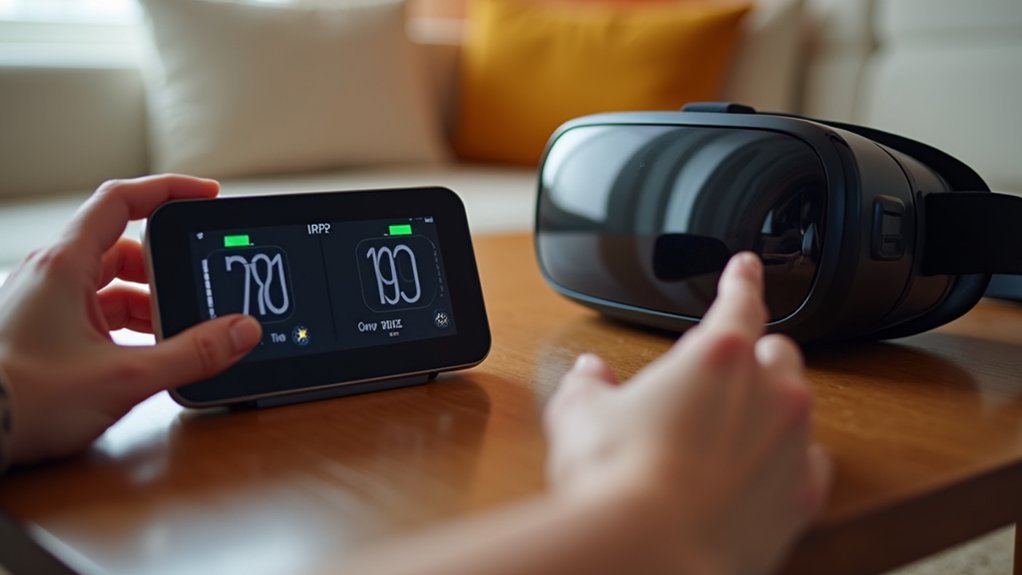
Before you can properly adjust your VR headset, you’ll need to measure your Interpupillary Distance (IPD) with precision. The most accurate approach involves visiting a professional optometrist who’ll provide exact measurements tailored specifically to your eyes.
This professional assessment guarantees ideal alignment between your pupils and the VR lenses, which directly impacts your comfort during extended sessions.
While DIY methods exist, professional measurements eliminate guesswork and potential errors that could affect your VR experience. An optometrist uses specialized equipment to measure the exact distance between your pupil centers, accounting for any asymmetries in your facial structure.
Professional IPD measurements eliminate guesswork and potential errors that could compromise your VR experience and long-term eye comfort.
This precise measurement becomes vital when configuring your headset settings, as even small discrepancies can cause eye strain, blurred vision, or headaches. Investing in professional IPD measurement sets the foundation for an exceptional VR experience.
Select the Right IPD Settings for Your VR Headset
Once you’ve obtained your precise IPD measurement, you’ll need to configure your VR headset’s settings to match those numbers.
For Meta Quest headsets, you’ll find three preset IPD settings: 58mm, 63mm, and 68mm. Start by selecting the position closest to your measured IPD. If your measurement falls between presets, test both adjacent settings to determine which provides the clearest image.
Adjust the lenses by gently moving the slider until you achieve ideal clarity. You’ll know you’ve found the right IPD settings when central text appears sharp and well-defined.
Proper adjustment eliminates eye strain and enhances immersion considerably. Don’t rush this process – take time to measure and fine-tune your VR headset’s configuration.
Accurate IPD calibration directly impacts your comfort during extended VR sessions.
Fine-Tune Lens Position Through Experimentation
After setting your initial IPD position, you’ll need to experiment with small adjustments to achieve flawless visual clarity. Start by focusing on central text within the headset and gradually adjust the IPD dial until everything appears sharp. Check each eye individually to guarantee consistent clarity, then reposition the headset if needed.
| Adjustment Step | Action |
|---|---|
| Focus on text | Look at central content to gauge clarity |
| Adjust IPD dial | Make small incremental changes |
| Check both eyes | Switch focus between left and right |
| Reposition headset | Move up/down for ideal view |
| Repeat process | Continue until comfortable |
Remember that finding your perfect IPD setting reduces eye strain considerably. Don’t rush this process—experiment with multiple small adjustments rather than making large changes all at once.
Maintain Clean Lenses During IPD Adjustments
Clean lenses are essential for accurate IPD adjustments, as even minor smudges or dust particles can distort your view and lead to incorrect calibration. Regularly clean your VR headset lenses with a microfiber cloth to prevent dust buildup that affects clarity during adjustments.
Use the OculusLCDScreenCleaner utility to identify and remove screen dust spots before making IPD changes for ideal visibility.
Never touch the lenses with your fingers, as oils and debris create blurry images requiring additional cleaning. Before removing lenses for adjuster installation, verify your eye area is clean to maintain lens condition.
Clean the lenses throughout the installation process to preserve a clear viewing experience free from obstructions that interfere with IPD calibration and overall headset performance.
Monitor Your Body’s Response to IPD Changes
How can you tell if your IPD adjustments are working correctly? Monitor response by paying attention to physical signs like eye strain, headaches, or dizziness. These symptoms indicate your IPD settings don’t match your measurements.
Adjust incrementally and note how your body responds with each change, tracking improvements in clarity and comfort during VR sessions.
- Take regular breaks – Allow your eyes and brain to rest, especially when experiencing discomfort after IPD adjustments.
- Re-measure if problems persist – Use a ruler and mirror or visit a professional optometrist for accurate readings when multiple adjustments don’t resolve issues.
- Track your comfort level – Maintain awareness during extended use, as your VR tolerance may improve over time, enabling longer sessions with ideal settings.
Always measure your IPD accurately before making adjustments.
Frequently Asked Questions
What Is the Ideal IPD?
Your ideal IPD typically ranges between 62mm and 64mm if you’re an average adult. However, you’ll need to measure your specific IPD since it varies individually for best VR comfort and clarity.
How Accurate Does IPD Need to Be?
You’ll need IPD accuracy within 1-2mm of your actual measurement. Even small deviations beyond this range can cause eye strain, blurry visuals, discomfort, and headaches during VR sessions.
How Do You Find the Perfect IPD?
You’ll find your perfect IPD by measuring with a ruler and mirror, consulting an optometrist for precision, then adjusting your headset’s dial while viewing text until it’s crystal clear.
How to Adjust Interpupillary Distance?
You’ll adjust interpupillary distance by locating your VR headset’s IPD dial or slider, then turning it while viewing central text until both eyes see clearly and comfortably without strain.



