
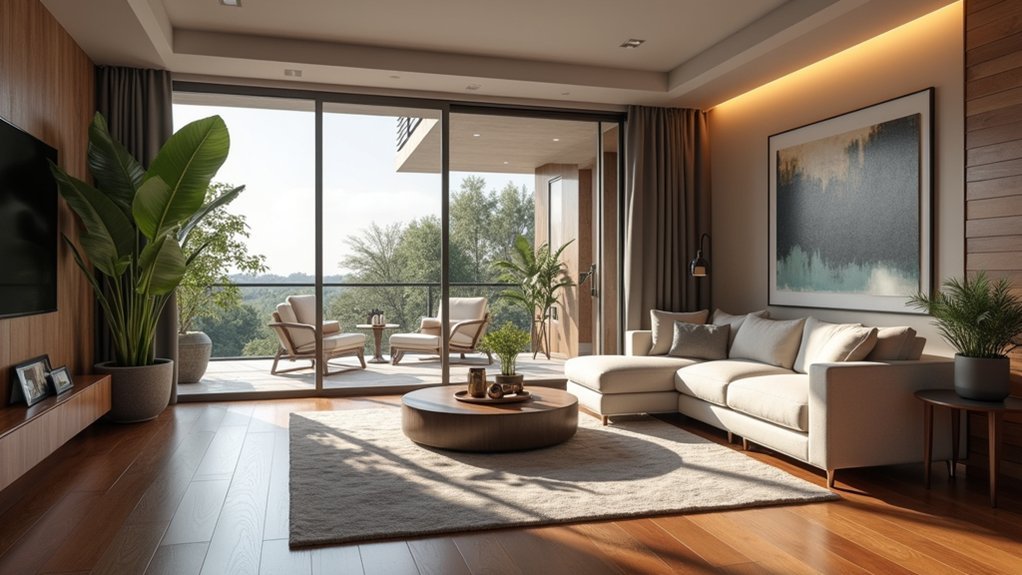
You’ll need high-quality 360-degree cameras like the Ricoh Theta V and VR headsets such as Meta Quest 3 to capture immersive mixed reality home tours. Start by strategically staging your property with neutral decor, proper lighting, and decluttered spaces. Position equipment at eye level and systematically move through each room while capturing content. Use specialized software like CloudPano to add interactive hotspots, AR overlays, and 3D models that enhance viewer engagement. The complete process involves several additional technical considerations and marketing strategies.
Understanding Mixed Reality Technology for Real Estate Applications

When you step into a property enhanced with mixed reality technology, you’re experiencing a revolutionary fusion of physical and digital worlds that’s transforming real estate presentations.
Mixed reality technology creates a revolutionary fusion of physical and digital worlds, transforming how properties are presented to potential buyers.
This immersive experience allows you to interact with digital enhancements while exploring actual spaces, creating unprecedented opportunities for virtual tours that captivate potential buyers.
Mixed reality combines augmented reality elements with real environments, enabling you to visualize furniture, fixtures, and design modifications in unbuilt properties.
Real estate professionals can now offer dynamic presentations that reduce purchasing uncertainty and boost buyer engagement.
Devices like Meta Quest 3 and Apple Vision Pro facilitate seamless shifts between reality and virtual elements, dramatically improving the customer experience while streamlining property marketing and office space planning for enhanced efficiency.
Essential Equipment and Software for Creating Mixed Reality Tours
Since mixed reality tours demand seamless integration between physical and digital elements, you’ll need specialized equipment that captures both visual data and spatial information with exceptional precision. High-quality 360-degree cameras like the Ricoh Theta V capture detailed imagery, while LiDAR scanners provide accurate measurements for realistic environments.
| Equipment Category | Recommended Options |
|---|---|
| Virtual Reality Headsets | Meta Quest 3, Apple Vision Pro |
| 360-Degree Cameras | Ricoh Theta V, Insta360 ONE RS |
| LiDAR Scanners | FJD Trion™ S1 |
| Tour Creation Software | CloudPano |
| Editing Software | Interactive feature-enabled platforms |
Your editing software must support interactive features like clickable hotspots and virtual staging to enhance engagement. CloudPano simplifies tour creation without requiring extensive photography experience, making mixed reality accessible for real estate industry professionals.
Planning and Preparing Properties for Mixed Reality Capture

You’ll need to master three critical preparation phases before capturing your mixed reality tour: strategic property staging, precise equipment positioning, and ideal lighting conditions.
Your success depends on transforming the space into a visually compelling environment that showcases the property’s best features while accommodating technical requirements.
These preparation steps directly impact the quality and immersiveness of your final mixed reality experience.
Property Staging Best Practices
Although traditional property staging focuses on appealing to in-person visitors, preparing spaces for mixed reality capture requires additional considerations that directly impact the digital experience.
You’ll need to declutter and clean thoroughly, as every detail becomes magnified in an immersive virtual environment. Choose neutral and inviting decor that appeals to diverse audiences and allows potential buyers to envision their personal style.
Proper lighting is essential for high-quality captures, so maximize natural light and add supplemental lighting where needed.
Strategically highlight key features like the kitchen, living areas, and outdoor spaces to create compelling focal points.
Consider virtual staging considerations for empty rooms, as digital furniture can transform unfurnished spaces without physical staging costs while maintaining the immersive virtual experience.
Equipment Setup Requirements
Once your property staging is complete, the technical setup becomes your next priority.
Real estate agents need proper equipment setup to create a virtual tour that delivers truly immersive experiences. Your portable LiDAR scanner, like the FJD Trion™ S1, captures precise measurements for detailed 3D modeling.
Follow these essential setup requirements:
- Position equipment at eye level – Place your scanner and camera at consistent eye-level height in multiple angles within each room for thorough spatial representation.
- Plan your capture sequence – Map out a logical flow based on the property’s layout to enhance virtual house tour navigability.
- Optimize lighting conditions – Turn on all lights and open curtains to create an inviting atmosphere that enhances capture quality.
Proper positioning guarantees accurate spatial representation throughout your mixed reality experience.
Room Lighting Optimization
When lighting becomes your focal point, the visual quality of your mixed reality capture greatly improves. Room lighting optimization is essential for creating immersive experiences that captivate viewers.
Start by maximizing natural light—open curtains and clear window obstructions to establish a bright, welcoming atmosphere.
Use soft, diffused lighting sources to eliminate harsh shadows and achieve balanced illumination. Maintain consistent color temperature throughout each room, choosing either warm or cool tones for a cohesive look.
Test various lighting configurations before capture to find the most flattering angles, as reflective surfaces can considerably impact your results.
Ensure all fixtures work properly and are clean—mixed reality captures depend on clarity and detail, making any imperfections glaringly obvious in your final product.
Step-by-Step Process for Recording and Processing Mixed Reality Content
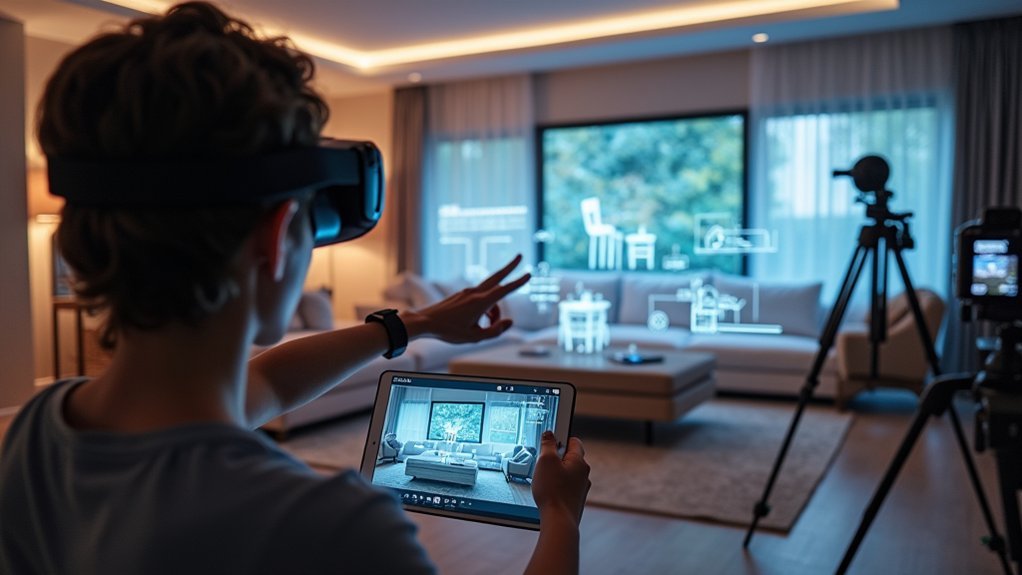
You’ll need to configure your mixed reality device with proper lighting and positioning before capturing any content.
Start recording by systematically moving through each room while incorporating virtual elements like furniture overlays or design modifications in real-time.
Once you’ve captured all necessary footage, you’ll process the content through specialized software to add interactive features and create the final immersive experience.
Equipment Setup Requirements
Three essential components form the foundation of your mixed reality home tour setup: the headset, camera equipment, and stabilization gear.
You’ll need compatible devices like the Meta Quest 3 or Apple Vision Pro to deliver seamless mixed reality experiences to your clients.
Your camera selection greatly impacts the final result. The Ricoh Theta V captures detailed 360-degree images from multiple angles, providing extensive property coverage.
You’ll process these images using specialized software that creates an interactive 3D model with clickable hotspots and virtual staging capabilities.
Essential Equipment Requirements:
- Mixed Reality Headset – Meta Quest 3 or Apple Vision Pro for ideal performance
- 360-Degree Camera – Ricoh Theta V for high-quality image capture
- Stable Tripod – Equipment costs range $25-50 for consistent positioning
This setup guarantees professional-quality mixed reality content that’s easily shareable across platforms.
Content Capture Techniques
Once you’ve assembled your mixed reality equipment, the actual capture process requires strategic planning and precise execution.
Begin content capture by systematically scanning each room, maintaining steady movements to guarantee your device’s LiDAR technology captures precise measurements for detailed 3D modeling. Record both physical spaces and virtual elements simultaneously, creating truly immersive experiences that blend reality with digital enhancements.
Integrate interactive features during capture by identifying key areas where you’ll later add clickable hotspots and virtual staging elements.
Focus on capturing thorough spatial data that software can process into cohesive point cloud information. After recording, use advanced processing software to convert raw data into polished mixed reality content.
This systematic approach guarantees your final tour seamlessly combines real and virtual components for maximum viewer engagement.
Post-Production Processing Workflow
While raw mixed reality capture provides the foundation for your home tour, transforming that data into a polished, interactive experience requires a structured post-production workflow.
Your post-production process begins with importing the captured data into specialized software that processes raw recordings into cohesive mixed reality models. This software seamlessly blends virtual elements with your real-world environment, creating the foundation for immersive experiences.
Next, you’ll enhance user engagement by incorporating interactive features:
- Add clickable hotspots at strategic locations throughout the property
- Create informative overlays that provide additional context and details
- Optimize visual elements for various platforms and devices
Finally, you’ll address technical issues through thorough testing, ensuring smooth navigation across different resolution settings and file formats before publishing your tour.
Integrating Interactive Elements and AR Overlays Into Virtual Tours
Interactive elements transform standard virtual tours into engaging, personalized experiences that captivate potential buyers from the moment they enter your digital property showcase.
You’ll enhance immersive experiences by incorporating clickable hotspots that reveal additional information about specific property features, keeping viewers engaged throughout their journey.
Augmented reality overlays let you showcase design possibilities like virtual furniture and color schemes, helping potential buyers visualize transformations.
You can implement real-time annotations and visual guides that improve navigation within your virtual tours.
Adding 3D models and animations creates dynamic experiences that clearly demonstrate property layout and flow.
These interactive elements don’t just enrich the viewing experience—they capture remote buyers’ attention in competitive real estate marketing environments, making your properties stand out and drive more qualified leads.
Publishing and Marketing Your Mixed Reality Home Tours Across Platforms
After crafting compelling interactive mixed reality tours, you’ll need strategic distribution to maximize their impact and reach qualified buyers.
Your Virtual House Tours require multi-platform visibility to attract potential buyers and generate meaningful engagement.
Effective marketing efforts should focus on these key distribution strategies:
- Platform Integration – Share your immersive experiences across realtor.com®, MLSs, and social media channels to guarantee maximum exposure and attract serious buyers actively searching for properties.
- Direct Outreach – Embed tour links in email campaigns and text messages for personalized marketing that reaches clients directly and increases conversion potential.
- Dynamic Content Creation – Generate downloadable GIFs and MP4 files from your tours for versatile marketing campaigns that capture attention across various digital channels.
Consistently monitor engagement metrics to refine your distribution strategy and optimize performance.
Frequently Asked Questions
How to Create a House Virtual Tour?
You’ll need a 360-degree camera like the Ricoh Theta V. Position it at eye height in each room’s center, capture exterior shots, then use specialized software to upload, edit, and publish your tour.
What Is the Best Software to Create Virtual Tours?
You’ll find Matterport’s the top choice for professional virtual tours, offering excellent 3D scanning capabilities. CloudPano’s perfect for beginners, while Box Brownie delivers rapid creation. Consider FJDynamics if you need precise LiDAR technology.
How Do You Create a Virtual Reality Tour?
You’ll capture 3D data using a LiDAR scanner like the FJD Trion™ S1, process it with specialized software, add interactive hotspots, guarantee VR headset compatibility, then publish on real estate platforms.
How to Create a 3D Tour on Zillow?
You’ll need Zillow’s 3D Home app and a 360-degree camera like Ricoh Theta V. Capture high-quality images of all rooms, upload them to the app, arrange seamlessly, add interactive hotspots, then publish on your listing.



